
BookFusion Android 2.20.17 – Polished & Faster, Custom Fonts, Bookshelf Refresh, and Samsung PDF Fixes

Over the past few weeks we have been focused on adding more polish to the Android app by tackling performance issues, bug fixes and adding minor quality of life based features. This update makes reading feel effortless: cleaner shelves, faster downloads, more reliable PDFs (especially on Samsung devices), and a big upgrade to custom fonts.
New
Theme app icon support
BookFusion now supports themed icons, so you can match the app icon to your favorite colors and have it blend seamlessly with the rest of your apps.

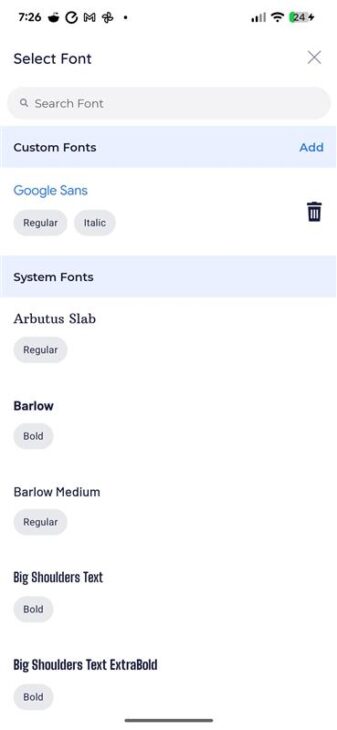
Full Custom Fonts support (with real bold + italics!)
Custom fonts now correctly include Regular, Bold, Italic, and Bold Italic variants—so your text renders the way it should. No more faux bold or italic when using custom fonts.
If you have the same font installed on Android and iOS, BookFusion will now apply it automatically across both devices. NOTE: The custom font must already be installed on the devices to allow it to be automatically applied.
One-time note: if you previously used custom fonts, you’ll need to reinstall your fonts once after updating.
Improved RTL support: no_linear chapters
We now support no_linear chapters in RTL books for better structure and navigation.
QoL Improvements
- Much faster, more stable downloads
We refactored the download process to improve speed and reliability. - More stable Text-to-Speech + Media Overlays (TTS/MO)
We made stability and consistency improvements so playback behaves more predictably. - Reader settings save more reliably
Your reader preferences should now stick more consistently between sessions. - Reader + theming cleanup for Android 15
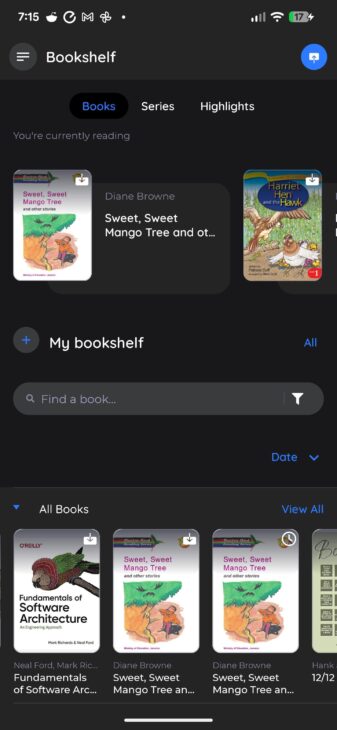
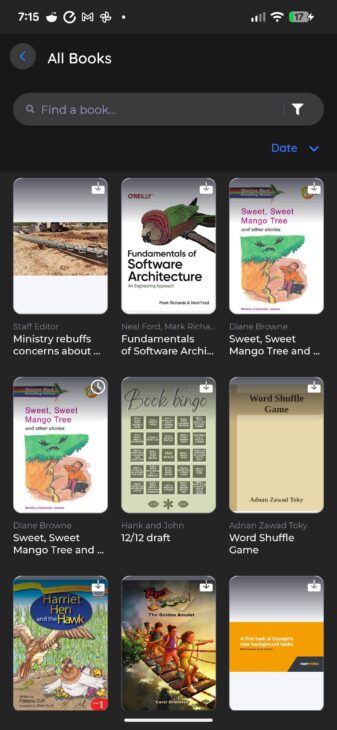
We refactored the reader UI to better support theming and Android 15. - Bookshelf UI refresh
Bigger covers and a cleaner, more consistent look across shelves.
Bug Fixes & Performance Improvements
- Fixed crashes related to:
- restoring the app on the bookshelf
- uploading books
- obfuscation issues between upgrades
- Fixed device rotation issues and improved e-ink optimizations on the All Books screen
- Fixed the Currently Reading section not updating after reading
- Fixed blank shelves when returning from book details
- Improved bookshelf and search performance
- Fixed reading position changes when toggling TTS or changing font size
- Updated the splash screen to use the latest Google API
- Fixed blank screen after returning to a PDF book (notably on Samsung)
- Fixed blank pages in PDFs on some Samsung devices
- Disabled rendering native PDF highlights to reduce confusion
- Fixed new PDF highlights appearing at the end of the highlights list (date sorting)
- TOC now correctly highlights the current chapter
- Fixed tap zone actions being reset when closing a book
- Fixed crash with rotation after navigating from search results
- Fixed Home screen blanking in split-screen mode on tablets
- Fixed zooming edge cases in some EPUBs
- Fixed color sorting issues (HSV)
- Fixed Boox button/volume key behavior issues
- Fixed cases where the reader opened without saved user settings (volume keys, dictionary, translate, voices)
Community Survey Results
In our last update, the community had the chance to vote on and prioritize the next set of features based on the feedback we received. Below are the top 7 most-voted features and improvements. If you didn’t get a chance to vote, you can still complete the survey here: Android Community Vote Survey

We’re always working to make your reading experience better. If you haven’t already, we’d deeply appreciate a review on the Play Store. It helps us grow and keeps the updates coming. Have feedback or need help? Reach out anytime to our support team.
Links:
- Play Store: https://play.google.com/store/apps/details?id=com.bookfusion.android.reader
- Official BookFusion APK: https://www.dropbox.com/scl/fi/vd780zt7h4bihzlsznn01/com.bookfusion.android.reader_Android_v.2.20.17_c.220171-release-protected.apk?rlkey=fd2ujtjuo069ncdtqg59ul6pr&dl=0
Happy reading,
The BookFusion Team