BookFusion Android 2.23.10 – Faster Shelves, Realistic Text-to-Speech(TTS) with PDF Support, Fixes & Other Improvements

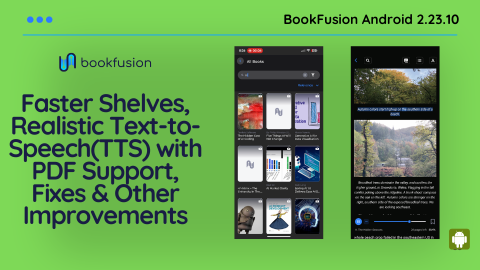
Across a long run of Android releases, from 2.20.18 through 2.23.10, we rebuilt how BookFusion speaks, how your library loads, and how the app behaves on the devices readers actually use. We held the write ups back on purpose. We wanted realistic Text-to-Speech to land on Android, Web, and iOS before properly sharing an update, rather than teasing you with a feature living on one platform. And this time, nobody has to ask “when Android?” Android readers have waited their turn before. Not on this one! 🙂
So here it is: what we built, what we fixed, and what is coming next
Realistic Text-to-Speech (TTS) is here
Synthetic narration has sounded like a robot reading a phone book for and unfortunately Google and larger entities are taking longer than we would like to make these models widely available for free or at a reasonable cost.
You can now listen to your eBooks and articles with realistic, lifelike voices right inside BookFusion. We built this in two flavors, because readers listen in two very different situations.
- Streaming voices: These come from Kokoro models with our own tuning and improvements layered on top. We built and run our own TTS service for them, and that decision has a direct benefit for you: subscription prices stay exactly where they are. No tokens to buy, no character caps, no metered minutes. Advanced and Power readers get unlimited streaming across Android, Web, and iOS, in 9+ languages including English (US and UK), Spanish, French, Mandarin, Japanese, and Hindi.
How to get started
1. Open the BookFusion app and the book you want to read
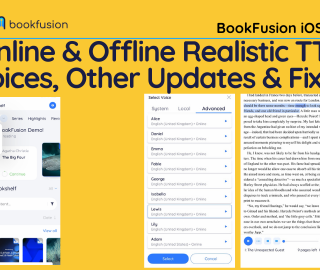
2. Tap Select Voice
3. Go to Advanced
4. Preview & confirm the voice you want
- Fully offline voices: These run entirely on your device through the BookFusion Voice companion app. No internet connection, no pre-generating audio and waiting for a download. Your device does the work, on demand, as you read. Offline voices are available on every plan, Free through Power, with 100+ voices across 38+ languages. Availability varies by device and language, and we will keep expanding the catalog. See the BookFusion Voice (Offline Realistic Voices on Android) documentation for more details on how to use BookFusion Voice. We also shared the BookFusion Voice update earlier this month at Introducing BookFusion Voice – Free Offline Realistic Text-To-Speech with 160+ Voices in 40+ Languages for Android
Planes, subways, remote cabins, and that one dead spot on your commute are all fair game now.
Other Text-to-Speech TTS & Media Overlay Updates
A great voice is only half the craft. The reader around it has to keep pace, and this is where we spent an enormous number of hours.
- TTS now works in PDFs: System voices and realistic voices both, inside the Android app.
- Seekbar navigation now keeps a back stack: Jump ahead with the progress bar, change your mind, and return to exactly where you were. This also rescues you from an accidental swipe while adjusting settings.
- We rewrote sentence and paragraph segmentation for a smoother, more natural cadence and fewer awkward breaks in the wrong places.
- Pages turn when they should . We refreshed the whole TTS and Media Overlay flow and resolved the related issues around it.
- We widened the touch areas in TTS settings, so adjusting the speed no longer means fumbling the progress bar by mistake.
We rebuilt the bookshelf
While not visibly or flashy, this was a large piece of engineering in the release, and the one you will feel every single time you open the app.
We replaced the bookshelf with a new paging system and a new repository layer underneath it. Bookshelves, series, highlights, and books all load through it now. The result is faster loading, smoother scrolling, and a foundation that can carry what we are building next.
Alongside the rebuild:
- Relevance search and sorting: Search now surfaces results closest to what you actually typed. Sort by relevance and find the book you half remember.
- Content type filters: Switch between All Content, Books only, and Articles only. Yes, that hints at something. More in a moment
- New Change Password and Update Profile screens
- New search screen for the EPUB and PDF readers, rebuilt in Jetpack Compose.
- A custom content filter menu replacing the native dropdown, for a more consistent feel.
- Force offline mode, with a clear alert when it is switched on.
- Broader multi-user support in the new architecture, plus significantly more test coverage on core book and series loading.
A refactor this large moves a lot of ground, and we expect some rough edges we have not spotted yet. If you notice anything unusual, tell us. If you keep a large collection, we especially want to hear how the performance holds up for you.
We also fixed a good number of issues the rebuild surfaced along the way: infinite loading when tapping the same filter twice, top filters vanishing after returning from View All, smart bookshelves not behaving with the new list, slow expansion of a bookshelf’s books, interrupted loading indicators in nested lists, a crash when removing books from the View All screen, endless loading on highlights and series, and books opening on their own when they were never tapped. Lists such as Favorites, Currently Reading, and Planned now update instantly, and Currently Reading refreshes properly.
Reading on e-ink
Our e-ink readers are some of our most devoted, and their hardware is gloriously particular. We chased these down one at a time.
- Fixed the Onyx Boox contrast bug that turned outlined buttons solid black
- Fixed a Boox issue during device rotation
- Fixed non-breaking spaces rendering as visible characters with the Palatino typeface on Supernote Manta
- Increased the hit area for pagination buttons in scroll and e-ink mode
- Gave the TOC and Bookmarks panel more room in the PDF reader
- Optimized reader custom fonts
Reading Time Tracking API
We rewired the Android app to use our new reading time tracking API, so your reading time logs correctly whether you are reading text, listening with TTS, or following a Media Overlay. Every minute counts, and now every minute counts properly.
That completes the foundation. With the API in place and collecting clean data across the board, we can build Statistics on top of it, which we are aiming to launch soon. 🙂
Fixes & Other updates
None of this makes a good screenshot. Unglamorous work that all of it makes a better app.
- Book edits apply right away. So do highlight, note, and tag changes.
- We reworked the highlights and notes dialog for a smoother experience, and optimized highlight performance behind the scenes.
- Tapping a highlight opens the correct book and takes you straight to that highlight it.
- Content type filters arrived in the Highlights tab too.
- Fixed opening a highlight or note directly from search results
- Fixed highlight and highlight color duplication
- Fixed the EPUB highlights screen not refreshing after a note changed
- Fixed bookmark sync
- Fixed an incorrect CFI position when navigating from the table of contents
- Fixed search text clearing itself while you were still typing
- Fixed double highlighting during AutoRead
- Fixed the page counter and notification interruptions in AutoRead
- Fixed rewind reading text from the previous page without turning back to it
- Fixed playback stopping after the app restored from the background
- Fixed playback occasionally jumping to the previous page while scrolling
- Fixed a crash when no TTS language was set
- Fixed a TTS crash on Pixel devices
- Fixed the blank voice picker on devices with no system TTS installed
- Fixed inconsistent voice naming between BookFusion and BookFusion Voice
- Added a new decoder so realistic TTS now works on devices that lack native Opus support. A whole class of Android devices simply could not play our advanced voices. Rather than shrug and call it a hardware problem, we implemented a decoder. Those devices work now.
- Fixed downloads getting stuck on some devices, with broader storage reliability improvements
- Fixed cancelling a download from Book Details doing nothing
- Improved the download button progress animation, and fixed double taps on it
- Fixed a crash from file names that were too long
- Fixed an upload crash, and handled file access errors during book uploads properly
- Fixed the QR code scanner showing an empty screen on the redeem page
- Fixed Change Password freezing when you entered the wrong current password
- Fixed the Home button blocking load more in search
- Fixed session restore on Samsung devices sometimes landing on a blank screen
- Fixed fixed-layout books holding on to invisible WebViews
- Fixed missing cover files crashing image loading
- Fixed duplicate stable ID crashes in list rendering
- Fixed a truncated tag name field when creating an article
- Now validates URL content type before capturing an article
- Switched to flexible in-app updates with staleness and cooldown checks: Updates should arrive when you want them, not interrupt you when you are three pages from the end of a chapter.
We also spent time where you will never look: lint cleanup, migrating dialogs to Jetpack Compose and modern APIs, refreshed CI, and better analytics identity handling. Sharpening the tools is part of the trade.
What comes next
- Refine & Launch Articles: Those Articles filters are not decoration. Full article support is close to being wrapped up, and the bookshelf rebuild exists precisely so articles and other content types can arrive without slowing anything down going forward. The Bookshelf Details screen already understands article specific information.
- Native CBZ/CBR Support
- Refactor app to no longer requires sign ups for users that might be searching for an app to use only on a single device. This is a big drag on our ratings due to a segment of users that do not read the app description and rate the app based on the sign up requirement (needed to sync
- Sleep timer for both TTS & Media Overlays
- Support page numbers (no longer only percentage)
- Area highlights for EPUBs
- Custom headers and footers ( clock, battery, reading time & more)
- Many more (let us know what you would like to see)
We build BookFusion for readers who care about the details, which means your eye catches things ours misses. Tell us what feels off, what feels good, and what you wish existed. Write to us at support@bookfusion.com or reply below
APK Download: Android 2.23.10 APK Download
Happy reading (and listening),
— The BookFusion Team