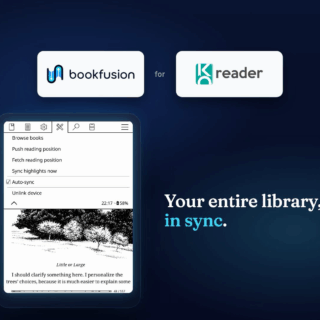
Introducing BookFusion Voice – Free Offline Realistic Text-To-Speech with 160+ Voices in 40+ Languages for Android


Today, we are excited to announce the launch of BookFusion Voice, a new Android text to speech engine that brings natural-sounding neural voices directly to your device.
BookFusion Voice makes it easier to listen to books, articles, documents, and other text using high-quality AI voices that work offline after download. Once a voice is installed, speech synthesis happens locally on your Android device, so your text never leaves your device.
Whether you use BookFusion for reading, rely on text to speech for accessibility, or simply prefer listening while you read, BookFusion Voice gives you more control, more privacy, and more choice.
Getting started with BookFusion Voice
Getting started is simple.
- Install BookFusion Voice on your Android device.
- Open the app and browse the voice catalog.
- Filter by language and quality.
- Preview voices using native language sample sentences.
- Download the voices you want to use.
If you use BookFusion, you are done. BookFusion will automatically detect your installed voices so you can start listening right away.
For step by step instructions, screenshots, setup guidance, and troubleshooting tips, visit the official BookFusion Voice tutorial and documentation:
BookFusion Voice: Offline Realistic Voices on Android
Natural voices that work offline
BookFusion Voice includes two voice families:
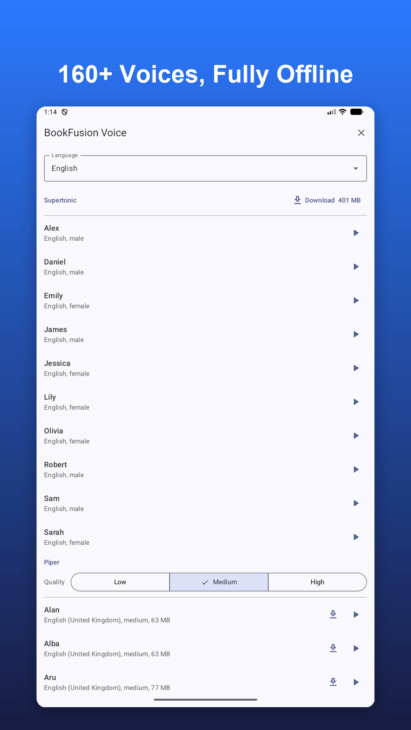
- SUPERTONIC voices are expressive, premium-quality multilingual voices. Each voice can speak 31 languages from a single download, allowing you to switch between voices and languages without downloading a separate model each time.
- PIPER voices provide a large catalog of 150+ voices across 40+ languages. Piper voices are available in low, medium, and high quality tiers, so you can choose the right balance between naturalness, performance, and device capability.
Together, these voice families give Android users access to more than 160 voices across 40+ languages.
Built for real-world listening
Not every voice performs the same on every Android device. Some voices sound more natural but require more processing power, while others are lighter and faster.
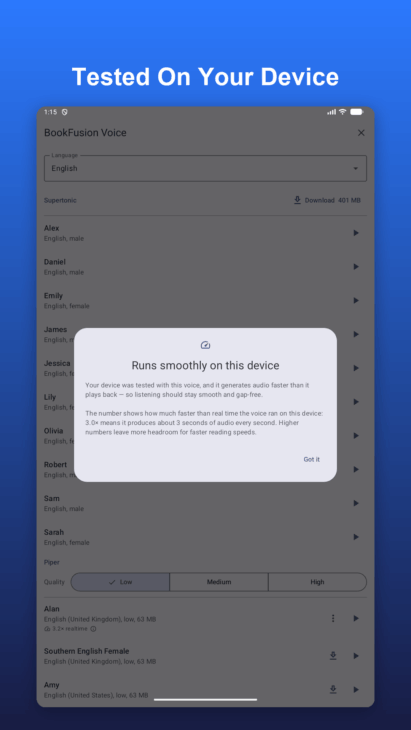
BookFusion Voice automatically tests each downloaded voice on your device, then shows how fast it runs. You will also see a clear warning when a voice may be too demanding for smooth, gap-free playback.
This helps you choose voices that work well on your actual device before relying on them for longer listening sessions.
Performance Note:
BookFusion Voice runs speech synthesis directly on your Android device. This is what makes offline listening and private, on-device text to speech possible, but it also means performance depends on your device’s processor, memory, and the voice you choose.
Some voices require more processing power than others. Supertonic voices and high quality Piper voices can sound more natural, but they may not run smoothly on lower powered devices. If a voice test shows poor performance, we strongly recommend using a low or medium quality Piper voice instead. These voices are lighter, faster, and often provide a much better listening experience on less powerful devices.
We have seen some early app store ratings reflect this misunderstanding. Poor performance from a demanding voice on a low powered device does not mean BookFusion Voice is low quality. It usually means that the selected voice is too demanding for that specific device.
That is why BookFusion Voice includes on-device performance testing. Before using a voice for longer listening sessions, you can test it, see how fast it runs, and choose the best option for your device. Selecting the right voice for your hardware is the best way to get smooth, reliable, gap-free narration.
Seamless integration with BookFusion
BookFusion Voice works especially well with the BookFusion Android app.
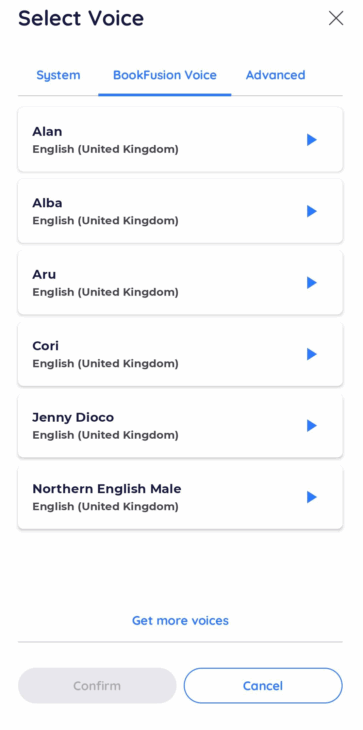
Once you download a voice, BookFusion detects it automatically. No extra setup is required. When used together with BookFusion, voices are pre-buffered ahead of time to help provide seamless narration with fewer pauses between paragraphs or pages.
That means you can download a voice in BookFusion Voice, open BookFusion, and start listening to your books and documents with a more natural read-aloud experience.
Works with other Android apps too
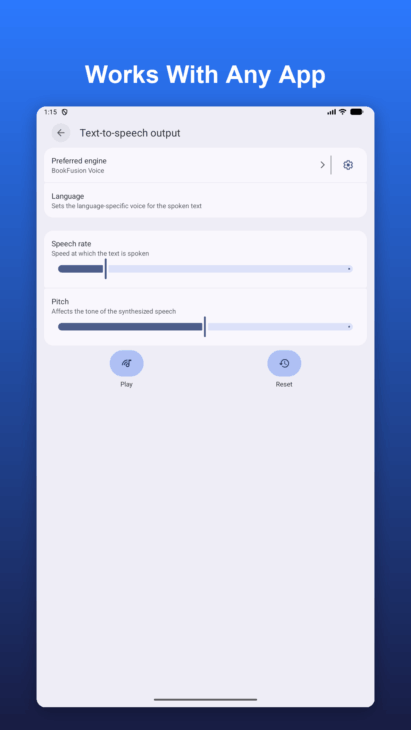
BookFusion Voice is also a standard Android text to speech engine. That means it can be used with other Android apps that support text to speech, including book readers, accessibility tools, TalkBack, navigation apps, and more.
To use it outside of BookFusion, install your preferred voices, then go to Android Settings, open Text-to-Speech settings, and select BookFusion Voice as your preferred engine.
Designed with privacy in mind
Privacy is one of the biggest advantages of offline text to speech.
With BookFusion Voice, all speech synthesis happens locally on your device. Your text is not sent to a server for processing. The app only connects to the internet to fetch the voice catalog and download voice files.
This makes BookFusion Voice ideal for users who want a private, offline listening experience for books, articles, documents, and other personal content.
Accessibility-first design
BookFusion Voice was also designed with accessibility in mind. The app includes full screen-reader labelling throughout and works with Android accessibility tools such as TalkBack.
Users can preview voices before downloading, filter by language and quality, view download sizes, adjust speech speed from 0.5x to 2.0x, and select the voices that best match their listening needs.
With BookFusion Voice, we are making natural, private, offline text to speech more accessible to readers everywhere.