
BookFusion iOS 1.43.7 – Page Numbers, Sleep Mode & a Smoother Reading Experience

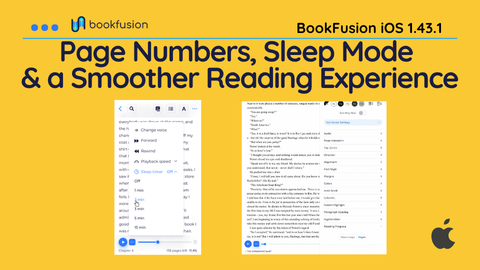
Our latest BookFusion update brings device-based page numbers to reflowable EPUBs, adds more control over how you track your reading progress, and introduces Sleep Mode for audio. We’ve also packed in a long list of fixes across EPUBs, articles, PDFs, highlights, CarPlay, and more.
Page Numbers for Reflowable EPUBs
Yes! , you can now finally see device-based page numbers when reading reflowable EPUBs.
Unlike fixed-layout books, reflowable EPUBs adapt as you change your screen size, font, spacing, and other reading settings. BookFusion now gives you page numbers that work with that flexible reading experience, making it easier to keep track of where you are in a book.
To switch to page numbers, simply tap the percentage progress indicator in the bottom-right corner of the reader. You can also enable page numbers from Reading Progress under Advanced Settings.
Prefer percentages? No problem. You can switch between page numbers and percentage progress at any time and use whichever feels most natural for you.
Sleep mode /Sleep timer
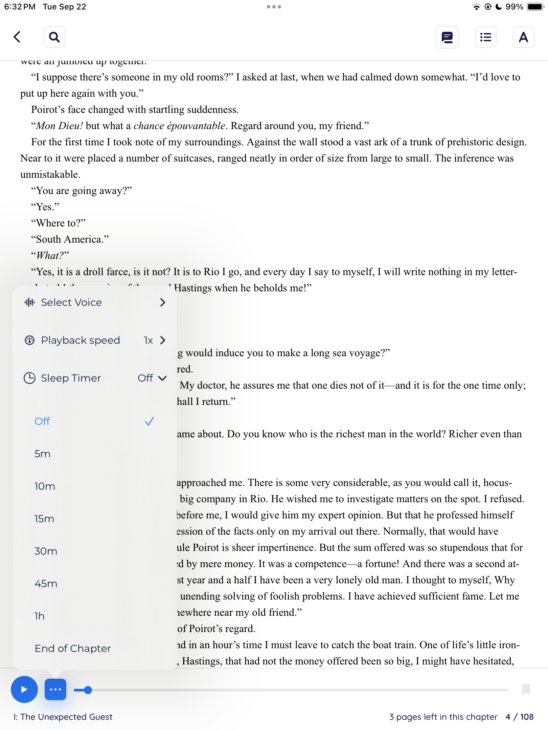
We’ve added Sleep Mode for Media Overlays and Text-to-Speech (TTS), making it easier to listen to books or articles before bed without letting playback continue long after you’ve fallen asleep.
When you turn on Sleep Mode, you can choose how you want playback to stop:
- After a set amount of time: Choose a time interval, and BookFusion will automatically stop playback when the timer ends.
- At the end of the current chapter: BookFusion will continue playing until the chapter finishes, then stop automatically.
This means you can start listening, get comfortable, and let BookFusion handle the rest. If you fall asleep, playback won’t continue indefinitely, making it much easier to return close to where you last remember listening.
Fixes & Improvements
We also spent plenty of time polishing the reading experience and squashing bugs across the app.
- Fixed Auto-scroll on iOS 27.
- Fixed bookmark restoration in image-only EPUBs.
- Fixed inconsistent Font Style application.
- Fixed SVG images not appearing in Article Clean Mode.
- Fixed other missing-image issues in articles.
- Fixed duplicate articles when sharing the same URL.
- Improved compatibility with highlights from the Article Browser Extension.
- Fixed a crash when updating from very old app versions.
- Fixed duplicate highlights.
- Fixed a rare crash when adding highlights.
- Corrected Clean Mode styling.
- Fixed inverted images in PDFs.
- Fixed the display of mathematical equations.
- Corrected downloaded-book ordering in CarPlay.
- Fixed rare missing styles in EPUBs.
The work continues
As usual please reach out to us with feedback, bug reports or suggestions. None of it happens without you, the readers who push us, report the rough edges, and remind us why we love this work.
And if you’re enjoying BookFusion, we’d really appreciate it if you took a moment to leave us a review on the App Store. Your reviews help more readers discover BookFusion and mean a lot to our team.
In the next few updates we will be focused on the following:
- Wrapping up and launching articles
- Custom headers and footers ( clock, battery, reading time & more)
- Any additional fixes for iOS 27
- Customisable Split View in reader for TOC, Highlights & Content
- Surprise! (reply with what you want the surprise to be :))
We’re just getting started. Update to the latest version and tell us what you think.
Happy reading (and listening),
— The BookFusion Team