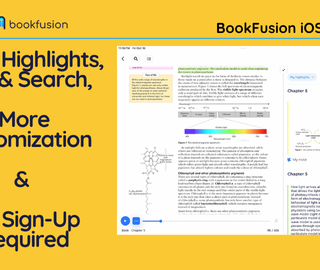
BookFusion for Android 2.24.2: Inline Highlights, TOC & Search, List View and a Smoother Reading Experience

We’re back with another BookFusion Android update!
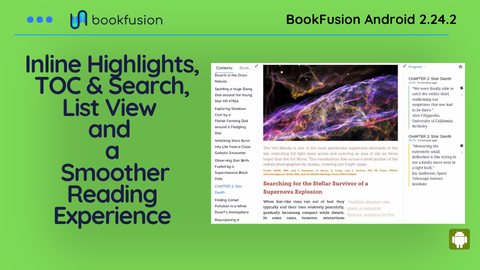
This release introduces inline Highlights, Search, and Table of Contents panels, a new List View for your Bookshelf, and more accurate bookmarks. We’ve also improved how highlights work, refined AutoRead, expanded EPUB compatibility, and addressed several issues affecting navigation and reading stability.
Whether you’re studying, researching, or settling in with your next great read, these updates help you spend less time navigating/tinkering and more time reading.
Inline/Side Panels Highlights, TOC & Search
Ever wanted to review your highlights while reading, search for a particular term without losing your place, or keep the Table of Contents visible as you explore a book?
Now you can!
With our new Inline Highlights, Search & Table of Contents panels, you can open up to two additional panels alongside your book or article, keeping the tools you need right where you need them.
Here’s what you can do:
- Review highlights as you read: Keep your highlights visible alongside the text, making it easier to revisit important ideas and connect information as you go.
- Search without interrupting your reading: Browse search results alongside your book or article, quickly finding references and exploring passages without switching between views.
- Navigate with the Table of Contents: Keep your chapters and sections within reach, making it easier to explore and jump between different parts of your book.
- Resizable Panels: Drag the edges of each panel to resize them. Give your book more room when you want to focus, or expand a panel when you need to explore its contents.
You can even combine panels. Keep your highlights open on one side and search results on the other, all while continuing to read.
Whether you’re studying, researching, or following a particularly interesting thread in a book or article, your reading and reference tools can now work together instead of competing for your attention.
List View for Your Bookshelf
Prefer a more compact way to browse your collection? BookFusion now supports List View on your Bookshelf, giving you another way to explore and organize your books.
You can switch between the existing Grid View and the new List View based on how you prefer to browse your library.
List View makes it easier to scan through your collection, particularly when you have hundreds or thousands of books.
Whether you prefer browsing beautiful book covers or quickly scanning titles, you now have more control over how your library appears.
Smoother Highlights & Text Selection
We’ve made several improvements to highlighting and text selection across EPUB books.
- More responsive highlighting: BookFusion updates highlights more efficiently without unnecessarily redrawing unchanged highlights.
- Improved text selection: Selection menus appear closer to the selected passage, particularly in fixed-layout EPUBs.
- Easier highlight management: Creating a highlight from selected text now opens its menu automatically.
- More intuitive navigation: Pressing Back dismisses selection and highlight menus before leaving your book.
- Improved scroll mode: Fixed an issue where highlighting could cause long chapters to appear blank.
Fixes & Other Improvements
Alongside these new features, we’ve addressed several issues to make BookFusion more reliable.
- More Accurate Bookmarks & Reading Positions: Improved bookmark accuracy using EPUB Canonical Fragment Identifiers (CFIs), along with more reliable Back navigation, chapter tracking, screen rotation handling, and reading position restoration.
- Improved AutoRead & Listening Experience: Enhanced AutoRead to follow visible text more accurately, preventing skipped words, repeated chapters, and incorrect starting positions. Also improved support for right-to-left and fixed-layout books, and added a loading indicator for Text-to-Speech (TTS) and Media Overlay playback.
- New App Loading Indicator: Updated the app’s loading indicator for clearer visual feedback.
- Improved EPUB Compatibility: Added better support for Apple and Kobo EPUB display options.
- Better SVG Rendering: Improved the display of certain images, illustrations, and graphics in EPUBs and articles.
- Improved PDF Gray Theme: Fixed the Gray theme to display white text against a gray background.
- Right-to-Left (RTL) Reading: Improved text selection, page positioning, navigation, and AutoRead for RTL books.
- Reading Position & Navigation: Improved position tracking, screen rotation handling, and returning to previous locations after following links.
- Highlight Stability: Fixed an issue that could cause long chapters to appear blank when highlighting in scroll mode.
- Fixed-Layout EPUBs: Resolved a crash affecting certain books with specific viewport configurations.
- Bookshelf Refresh: Bookshelf lists now return to the beginning after refreshing.
- Session Handling: Improved handling of expired or invalid login sessions.
- Reader Controls: Refined how selection menus, highlight menus, and reading controls respond to taps and the Back button.
- Performance & Stability: Additional optimizations and fixes throughout the reading experience.
What comes next
As usual, please reach out to us with your feedback, bug reports, and suggestions. A lot of these improvements start with readers telling us where something feels rough, confusing, or simply could be better.
And if you absolutely love using BookFusion, consider leaving us a review on Google Play. It helps more readers discover us and supports the work that goes into making BookFusion better with every release.
- Refine & Launch Articles: This is now mostly done and we are working on a stretch goal item before launch.
- Support list view on bookshelf
- Area highlights for EPUBs
- Native CBZ/CBR Support
- Support page numbers (no longer only percentage)
- Custom headers and footers ( clock, battery, reading time & more)
- Many more (let us know what you would like to see)
We build BookFusion for readers who care about the details. Tell us what feels off, what feels good, and what you wish existed. Write to us at support@bookfusion.com or reply below
Grab the latest update from Google Play or the APK Download: Android 2.24.2 APK Download
Happy reading (and listening),
— The BookFusion Team