BookFusion KOReader v1.2.1 – PDFs & Comics, Better Sync, Color Highlights and Richer Book Details

We’ve been steadily improving the BookFusion plugin for KOReader, with a particular focus on making your BookFusion library feel more at home on your E-Ink devices.
Our latest releases bring support for PDFs and comic books, more accurate highlights with colors, reading positions, richer book details, and several fixes that make syncing and updating more reliable.
New
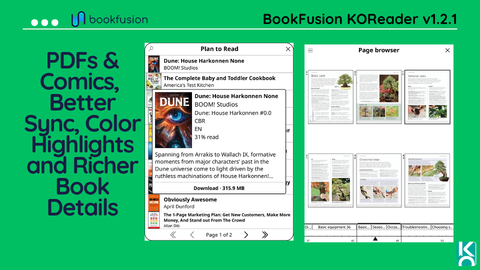
PDFs & Comics Now Open Natively in KOReader
Your BookFusion library isn’t limited to EPUBs, and now your KOReader experience isn’t either.
PDF, CBZ, and CBR files in your BookFusion library now download in their original format and open natively in KOReader.

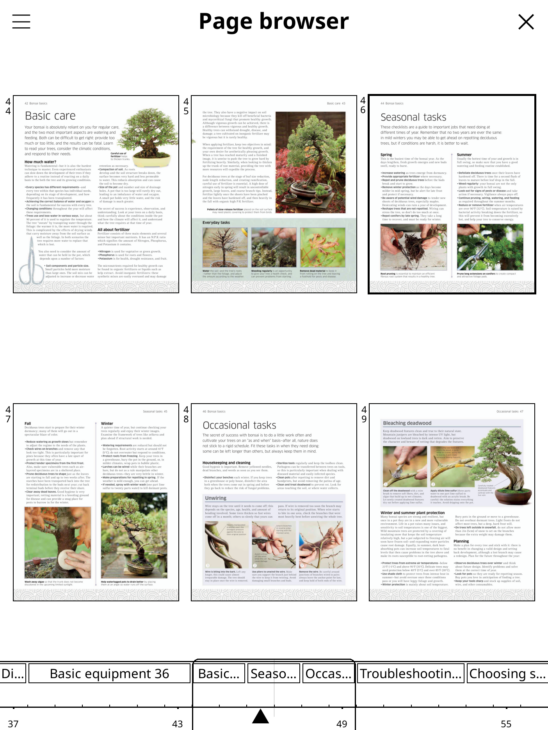
That means you can download a PDF or Comic from BookFusion, read it using KOReader’s native reading experience, and still keep your reading position synced with BookFusion across your devices.
For PDFs, highlights also sync both ways. Create a highlight while reading on KOReader and it will sync back to BookFusion. Highlights created on your other devices can sync down to KOReader as well.
More Book Details
Previously, tapping a book gave you little more than its title and a couple of actions. Now you can actually get more details about the book before downloading or opening it.
Tap a book and you’ll see its:
- Cover and author
- Series information
- File format and download size
- Publication year and language
- Current reading progress
- Description
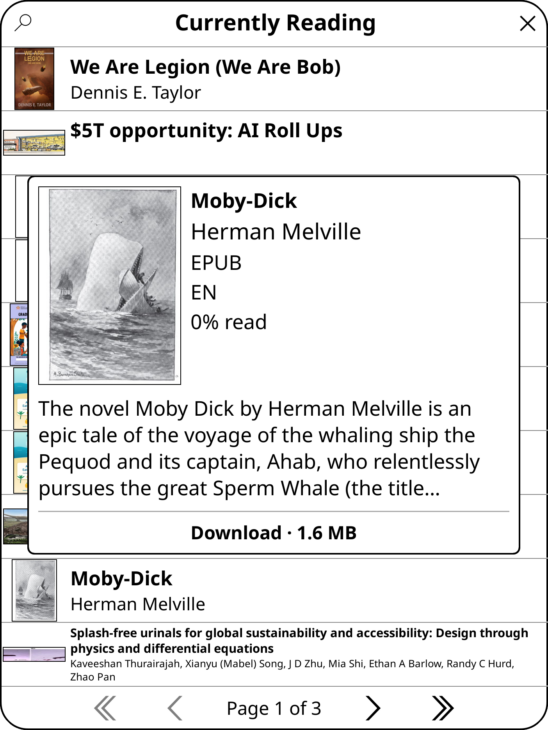
Your Download, Read, and other actions remain right where you need them.
It’s a small change that makes browsing a large BookFusion library on KOReader much more useful.
Improvements & Fixing
More Accurate Highlights & Colors
Highlights should appear exactly where you made them.
We’ve improved how the plugin places and draws highlights in books where differences in text positioning could previously cause them to appear slightly off. The improvements apply in both directions: highlights you create in KOReader and highlights synced from BookFusion on your other devices. Colors made for highlights now also properly sync over to KOReader.
We’ve also corrected how highlight timestamps are handled. Highlight times are now sent in UTC, allowing BookFusion to display the correct local time regardless of your time zone.
Better Reading Position Sync
We’ve made several improvements to reading position syncing.
Reading positions coming from the BookFusion Web Reader now land more accurately in KOReader. In some books, a synced position could previously take you to the beginning of the chapter rather than the exact place where you stopped reading.
We also fixed an issue that prevented KOReader from determining your position on certain pages. When this happened, “Pushing reading position…” could remain on screen without completing.
You can now push your reading position from anywhere in a book. And if a sync fails, we’ll tell you instead of leaving you wondering whether anything happened.
More Reliable Updates and Network Handling
KOReader 2026.07 changed the archive API used by our updater, which meant older versions of the BookFusion plugin could fail with a “couldn’t extract the update” message.
We’ve updated the plugin to use KOReader’s current extraction API while retaining compatibility with earlier KOReader releases. We’ve also improved how the plugin handles an uncommon type of network failure. Instead of stopping the plugin with an error, BookFusion now handles the failure cleanly and reports that the request was unsuccessful.
Updating the BookFusion Plugin
If you’re already on BookFusion plugin v1.1.4 or later, updating is easy:
- Tools → BookFusion → Updates
If you’re using KOReader 2026.07 or later with BookFusion plugin v1.1.3 or earlier, there’s one extra step. Those older plugin versions use the updater API that KOReader removed, so they cannot install the newer release themselves.
Download the latest plugin release and replace your existing bookfusion.koplugin folder manually once. After that, future releases can install normally through the plugin.
If you’re on KOReader 2026.03 or earlier, you can continue updating normally from Tools → BookFusion → Updates.
You can find the latest release and installation files on BookFusion’s KOReader plugin releases page.
Planned
These releases continue our work toward making KOReader a first-class BookFusion integration and not simply a way to download your books, but another device where your library, reading progress, highlights, and notes stay connected.
- Article support
- Import existing books and highlights from KOReader
As always, keep the feedback, bug reports, and suggestions coming. They help us find the rough edges and make the experience better.
Happy reading!
— The BookFusion Team